






















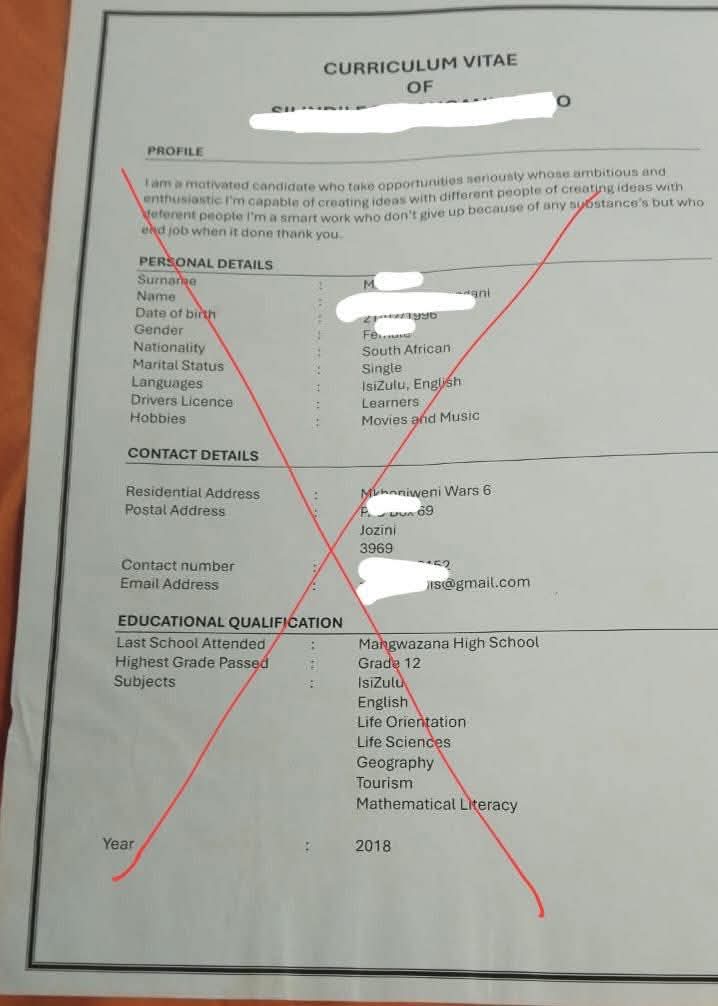


Writing a good CV is an important step towards securing a job, but having impressive qualifications and work experience may not be enough. Applicants must also ensure their CVs are structured in a way that allows employers and recruitment software to identify relevant information quickly.
You might also like thesePosts

Many organisations use Applicant Tracking Systems (ATS) to collect, organise and screen job applications. These systems help recruiters manage large volumes of applications by identifying relevant skills, qualifications, job titles and experience.

An ATS-friendly CV makes it easier for recruitment software and hiring managers to identify information that matches a job description. Although no CV format can guarantee selection, a clear and well-structured document can improve an applicant’s chances of presenting their qualifications effectively.
Here are 10 ways to write an ATS-friendly CV.

1. Use a Simple and Professional Layout
An ATS-friendly CV should have a clean, straightforward layout. Avoid complicated designs, multiple columns, decorative graphics, text boxes and excessive use of colours, as some recruitment systems may struggle to extract information from them correctly.
Use a simple, professional format with clearly separated sections. A single-column layout is generally a reliable choice because it presents information in a logical order.
Your CV should prioritise relevant information rather than visual decoration.
2. Include Keywords From the Job Description
One of the most important steps in preparing an ATS-friendly CV is using relevant keywords from the job description.
Recruiters may configure their systems to identify specific skills, qualifications, software, certifications and professional experience. If these details are relevant to your background, include them naturally in your CV.
For example, if an employer is looking for a digital marketing officer with experience in content creation, social media management and campaign analytics, highlight those skills where appropriate.
However, do not insert keywords simply to manipulate the system. Every skill or qualification you mention should accurately reflect your experience.
3. Use Standard CV Headings
Use familiar headings that recruitment software and employers can easily recognise.
Recommended headings include:
– Professional Summary
– Work Experience
– Education
– Skills
– Certifications
– Professional Training
– Projects
– References, if requested
Avoid creative alternatives that may be unclear to recruitment software. For example, use “Work Experience” instead of “My Professional Journey” and “Education” instead of “Where I Learned”.
Standard headings help make your CV easier to navigate and understand.
4. Choose a Readable Font and Appropriate Font Size
Your CV should be easy to read on a computer screen and when printed.
Use professional fonts such as Arial, Calibri or Times New Roman. A font size of 10 to 12 points is generally suitable for the main text, while section headings can be slightly larger.
Maintain consistent spacing, margins and formatting throughout the document. Avoid decorative fonts, excessive capitalisation and unnecessary symbols.
A readable CV benefits both recruitment software and the human recruiter who eventually reviews it.

5. Highlight Relevant Skills and Qualifications
Your CV should demonstrate that you possess the skills and qualifications required for the position.
Include a dedicated skills section featuring relevant technical and transferable skills. Depending on the job, these may include data analysis, project management, communication, customer service, Microsoft Excel, programming or content development.
Be specific about your abilities. If you have experience using a particular software application, name it instead of relying on a broad description such as “computer literate”.
Prioritise the skills most relevant to the advertised role, and support important claims with examples in your work experience section.
6. Present Your Work Experience Clearly
List your work experience in reverse chronological order, starting with your most recent or current position.
For each role, include your job title, employer, employment dates and key responsibilities or achievements.
Where possible, demonstrate your contributions with measurable results rather than listing duties alone.
For example:
Instead of writing, “Responsible for managing social media accounts,” write, “Managed three social media accounts and increased audience engagement by 30 per cent over six months.”
Only include figures you can substantiate. If you do not have measurable results, explain your contributions clearly using strong action verbs such as managed, developed, coordinated, analysed and implemented.
7. Use a Consistent Date Format
Inconsistent dates can make a CV difficult to read and may complicate the interpretation of your employment history.
Choose one format and apply it throughout the document. For example, you can write “January 2024 – September 2026” or use a consistent month-and-year format for every role.
Ensure that your employment dates, educational history and certifications are accurate. Do not hide employment gaps by providing misleading dates.
A clear timeline helps recruiters understand your career progression and experience.
8. Save Your CV in the Correct File Format
Follow the employer’s instructions when submitting your application. If the vacancy requests a PDF, submit a properly formatted PDF. If it requests a Word document, use the specified format.
PDF and DOCX files are commonly accepted, but compatibility varies across recruitment systems. A PDF created from a word processor is generally preferable to a scanned document because its text can be selected and extracted.
Before submission, check that the file opens correctly, the text can be copied and pasted, and the document retains its intended layout.
Use a professional filename, such as “Folaranmi_Ajayi_CV.docx”, rather than a vague name such as “My CV Final New”.
9. Write a Strong Professional Summary
A professional summary is a brief introduction at the top of your CV. It should communicate your relevant experience, strongest skills and career focus.
Avoid generic statements such as “I am hardworking, dedicated and passionate about success” without supporting details.
Instead, tailor your summary to the position you are applying for.
For example:
“Digital marketing professional with experience in social media management, content development and audience engagement. Skilled in planning digital campaigns, creating platform-specific content and monitoring performance to support organisational growth.”
Your summary should be truthful, concise and relevant to the advertised role. Where appropriate, include important keywords from the job description.
10. Review Your CV Before Submitting It
Before sending your CV, check it for spelling mistakes, grammatical errors, inconsistent formatting and missing information.
Compare the document with the job description to confirm that your relevant skills, qualifications and achievements are easy to identify.
You can also copy the text from your final CV into a plain-text editor to check whether the information appears in the correct reading order. This is a useful basic test, although it cannot reproduce every ATS screening process.
Finally, ensure that your contact details are correct, your employment history is accurate and your document does not contain unnecessary personal information.
Common Mistakes to Avoid When Writing an ATS-Friendly CV
Applicants should avoid the following mistakes:
– Using the same CV for every job application without tailoring it.
– Adding skills or qualifications they do not possess.
– Placing essential information in headers, footers or complex text boxes.
– Using tables, graphics or multiple columns when a simpler layout would work.
– Repeating keywords unnaturally.
– Including irrelevant personal information.
– Submitting a scanned document that cannot be read as text.
– Making unsupported claims about achievements or professional experience.
Remember that an ATS-friendly CV is not simply a document filled with keywords. It should communicate your suitability for the position clearly, accurately and professionally.
Conclusion
Writing an ATS-friendly CV requires a combination of relevant keywords, clear formatting, accurate information and evidence of professional competence. Applicants who tailor their CVs to specific vacancies can make it easier for recruiters to identify their qualifications and experience.
However, passing an ATS screening process does not guarantee an interview or job offer. Employers may also consider application questions, experience requirements, assessments, referrals and other selection criteria.
The goal is to create a CV that works for both recruitment software and the people responsible for making hiring decisions.







 EduTimes Africa, a product of Education Times Africa, is a magazine publication that aims to lend its support to close the yawning gap in Africa's educational development.